
Color Dialog
This dialog allows you to configure a color's values and name, as well as its color-mode and swatch-type. Whether adding a new color or editing an existing one, the dialog controls are essentially the same.
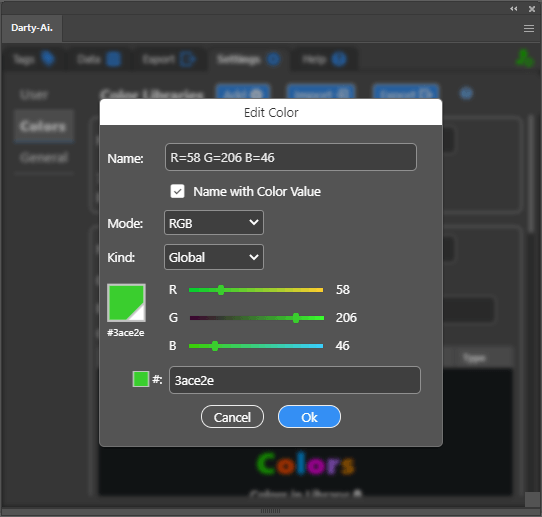
Color Name- input the color's swatch-name here.Name with Color Value- checkbox which automatically sets the color's name to the format"R=0 G=0 B=0", based on the respective current color-mode.Mode- choose whether the color isRGB,CMYK,GrayscaleorLab.Kind- the Illustrator swatch-kind for this color:PROCESS,SPOTorGLOBAL.Values- a set of sliders to setRGB,CMYK,GrayscaleorLabvalues.Hex Value- a text-box where a hex-value can be entered.
Editing the hex value or the numeric values updates the other respective control.
Press the OK button to accept the color's new data, or Cancel to dismiss the dialog without performing any action.