
Fit To Bounds
The fitToBounds method is used for fitting the bounds of artboards to artwork items and optionally applying padding around the artwork. The method changes the artboard rectangles; it does not move or scale the artwork. The fitted rectangle uses the artwork's visible bounds.
By default artwork items currently on the artboards are used to define the artboard bounds.
To include artwork which is currently not in the artboards bounds, set the artboardItems property to false.
Set a tagSearch to limit the artwork to be considered.
Set a layerName or layerNumber to limit the artwork to be considered to a given layer.
Set a list of artboardNames or artboardNumbers to specify the artboards whose bounds should be adjusted.
If no artboards are specified, the bounds of all of the artboards will be adjusted.
To set equal padding for all sides of the artboards use the padding property.
Use the left, right, top and bottom properties if you want to set different padding for the different sides of the artboards. Each omitted side keeps its current artboard edge, so leave a side blank only when that edge should remain fixed. If neither padding nor any side padding is set, the current artboard rectangle remains unchanged.
See the Fit to Bounds Tool for the visual editor.
Sample Spreadsheet and Screenshots
| * | ||||||||
| fitToBounds | ||||||||
| artboardNumbers | fromArtboardItems | tagSearch | padding: 5 | layerNumber | paddingLeft | paddingRight | paddingTop | paddingBottom |
5 | ||||||||
| 1, 2 | 5 | |||||||
| 1, 2 | FALSE | 5 | ||||||
| circle | 5 | |||||||
| circle | : | 2 | 10 | 20 | 30 | 40 |
Compare each row in the spreadsheet below with its associated screenshot below.
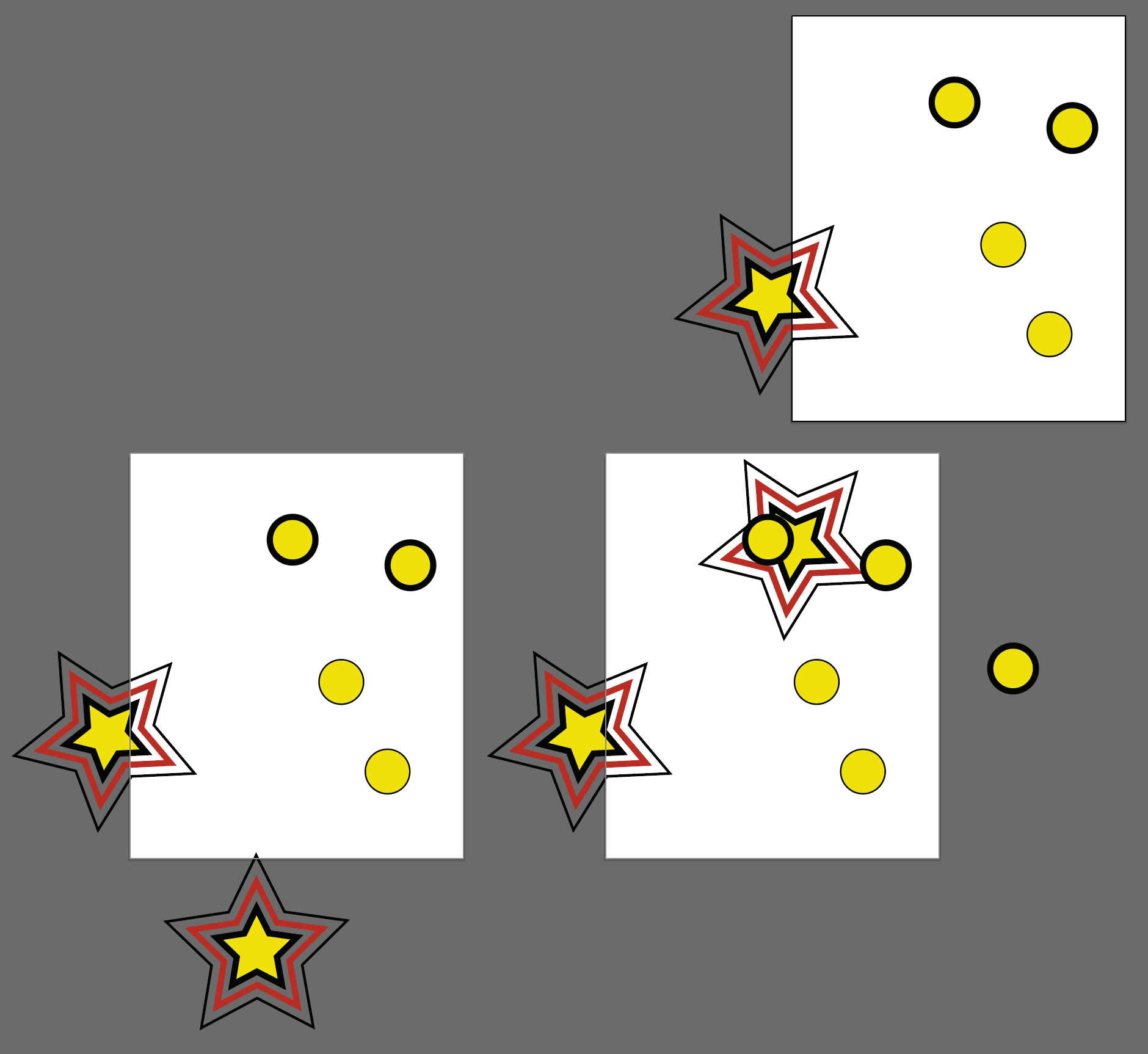
Original Artboards
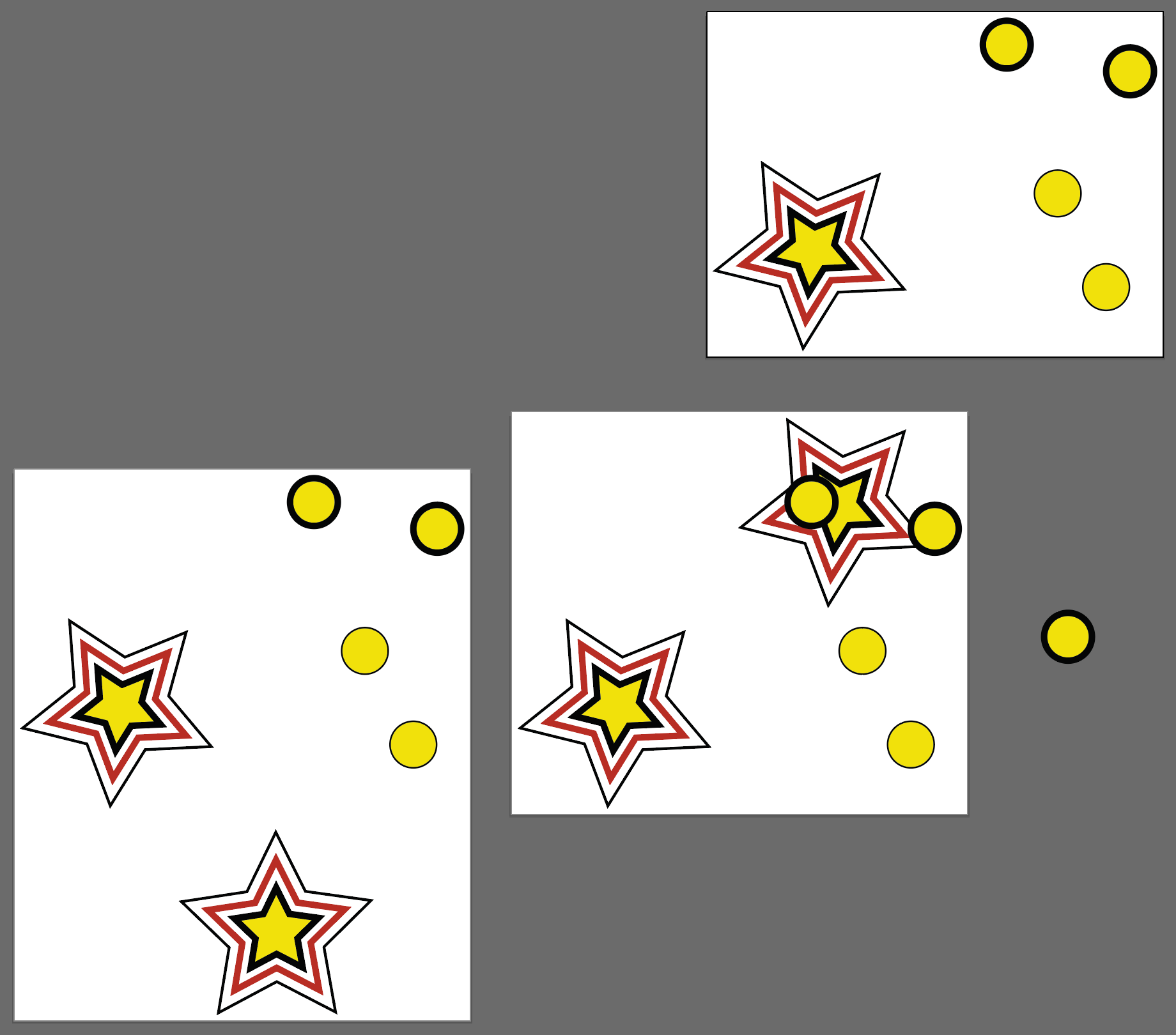
Row - 1
Only the padding property has been set, ALL the artboards will resize to pad 5pt from all artwork currently on them.
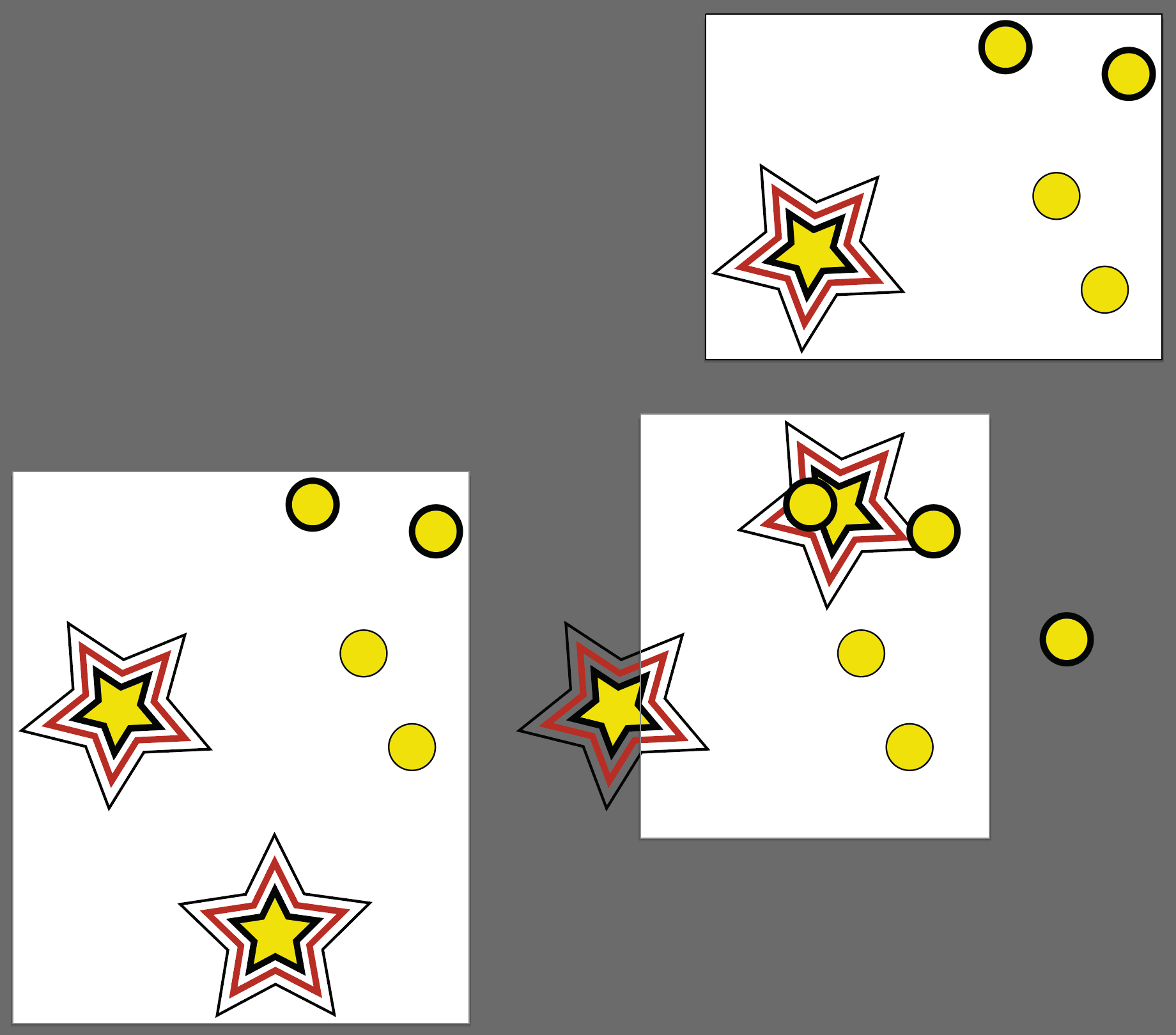
Row - 2padding: 5 artboardNumbers: 1, 2 Only the bounds of artboards 1 and 2 will be adjusted
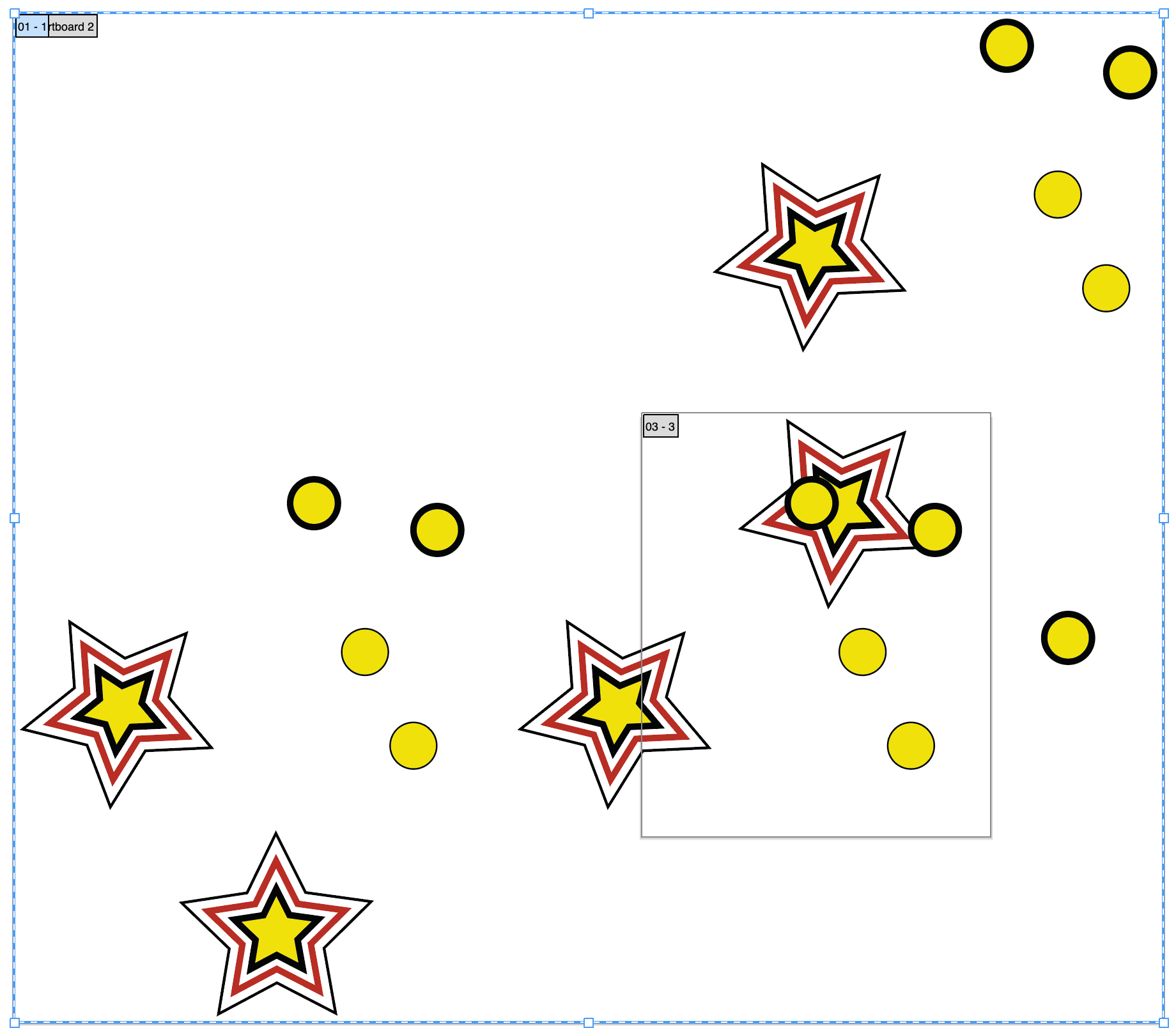
Row - 3fromArtboardItems: false artboardNumbers: 1, 2 padding: 5 The bounds of artboards 1 and 2 will be adjusted to pad all the artwork in the document by 5pt.
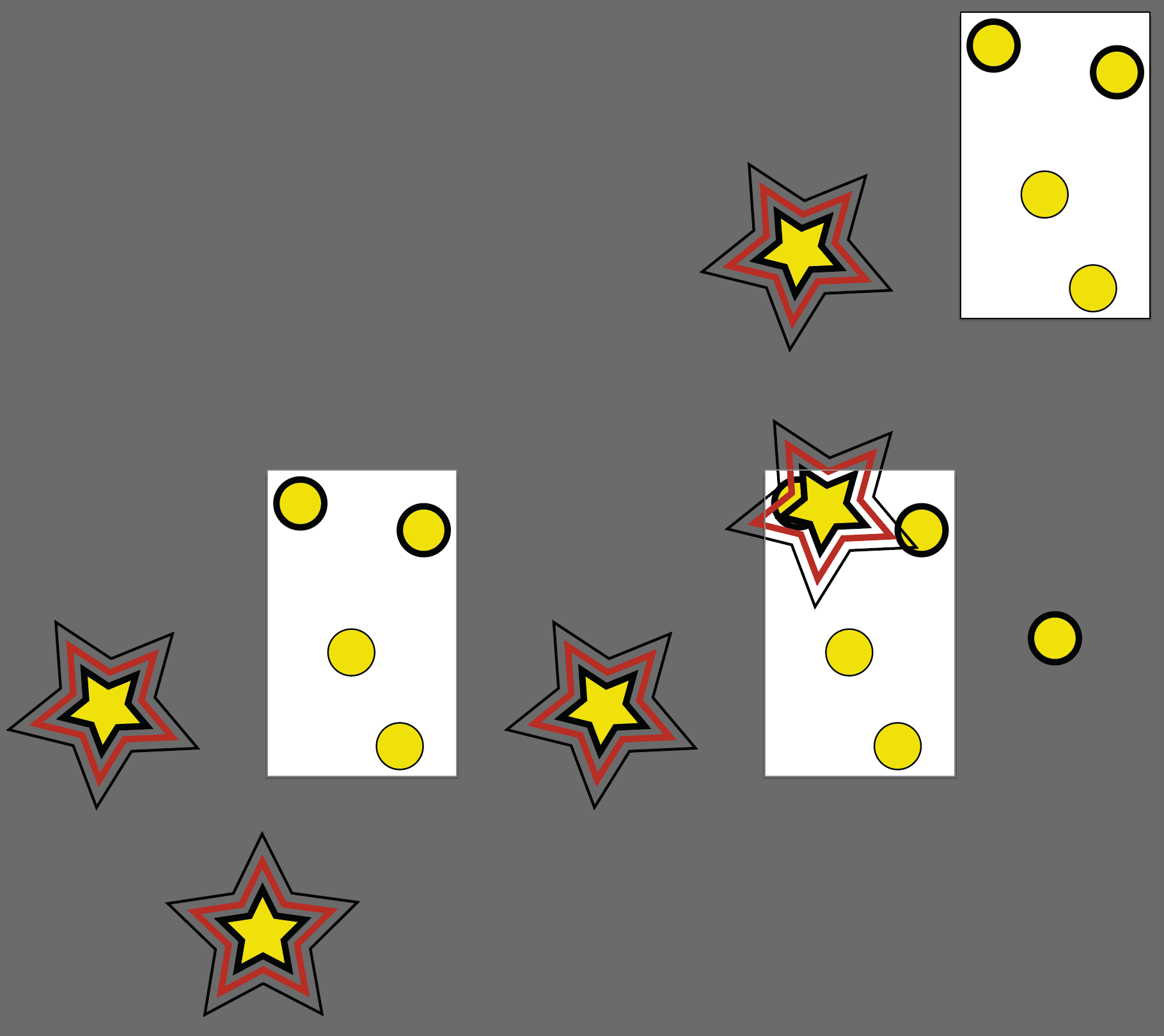
Row - 4padding: 5 tagSearch: circle The bounds of all the artboards will be adjusted to artwork tagged circle which is in their bounds.
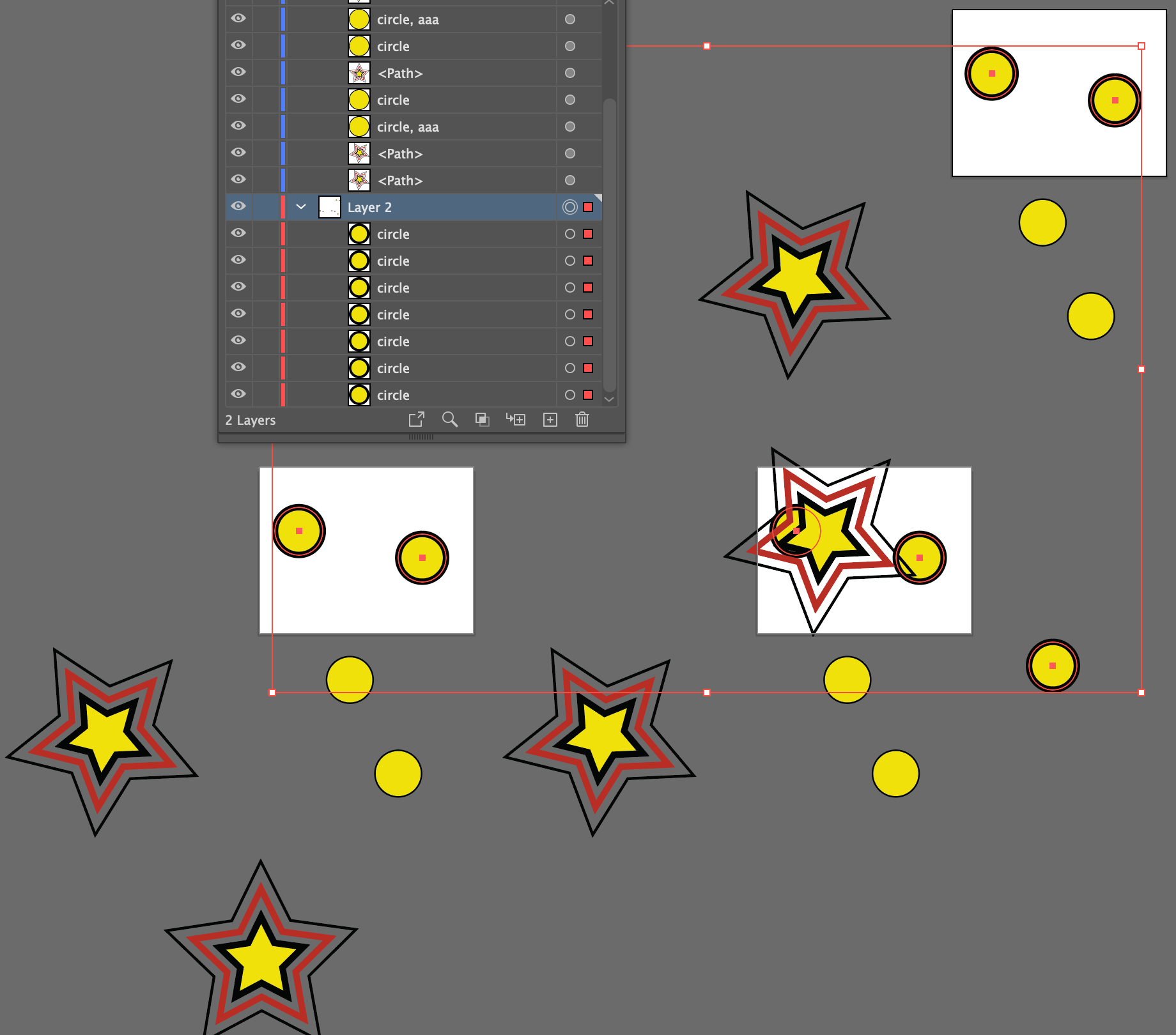
Row - 5tagSearch: circle layerNumber: 2 paddingLeft: 10 paddingRight: 20 paddingTop: 30 paddingBottom: 40 The bounds of all the artboards will be adjusted to artwork tagged circle in layer 2 which is in their bounds.
Method Properties and Screenshot
See Basic Stroke and Fill Properties
| Mode | Description |
|---|---|
* | Set to false if you want the method to be skipped in a particular row. Valid Values: true or false |
artboardItems /fromArtboardItems | Whether artboards bounds should be adjusted only to items currently in their bounds Valid Values: true [Default] or false |
artboardNames | A list of exact, case-sensitive artboard names to adjust. Names can be used by themselves or together with artboardNumbers; when both are present, the unique matches are combined. If no artboard names or numbers are provided, all artboards are considered. Sample Values: Artboard 1, Artboard 2, Artboard 3 |
artboardNumbers | A list of one-based artboard numbers to adjust. Numbers can be used by themselves or together with artboardNames; when both are present, the unique matches are combined. If no artboard names or numbers are provided, all artboards are considered. Sample Values: 1, 2, 3 |
layerName | Specify a layer name if you want to limit the artwork that the artboard bounds should be adjusted to to a specific layer Sample Values: Layer 1, Layer 2, Layer 3 |
layerNumber | Specify a layer number if you want to limit the artwork that the artboard bounds should be adjusted to to a specific layer Sample Values: 1, 2, 3 |
padding | The padding from artwork, (can be used when padding on all sides is equal) Sample Values: 36, 36pt, .5", 12.6mm |
paddingBottom /bottom | Bottom padding from artwork Sample Values: 36, 36pt, .5", 12.6mm |
paddingLeft /left | Left padding from artwork Sample Values: 36, 36pt, .5", 12.6mm |
paddingRight /right | Right padding from artwork Sample Values: 36, 36pt, .5", 12.6mm |
paddingTop /top | Top padding from artwork Sample Values: 36, 36pt, .5", 12.6mm |
skip | Set to true is you want the method to be skipped in a particular row. See * and Skip for details. Valid Values: true or false |
tagSearch | Specify a tagSearch if you want to limit the artwork that the artboard bounds should be adjusted to specific artwork items Sample Values: cats, cats | dogs, animals & !dogs |